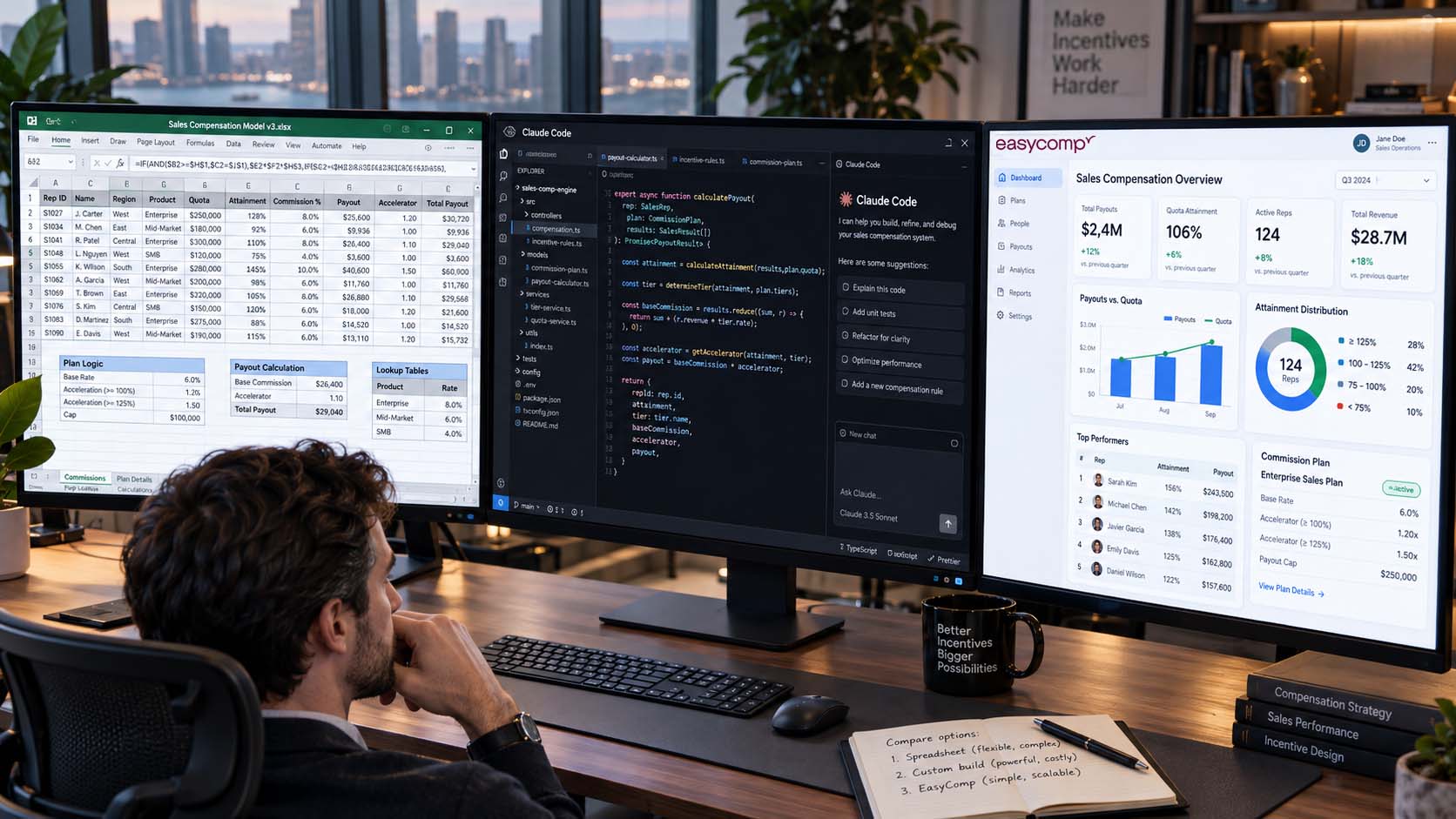
For years, companies had two basic choices for managing sales commissions:
- Run everything in Excel.
- Buy sales compensation software.
AI has introduced a third option.
Today, a technically inclined financial analyst or RevOps professional can use tools such as Cursor, Claude Code, GitHub Copilot, or OpenAI Codex to vibe-code an internal commission application without assembling a traditional software engineering team.
That makes the decision more interesting.
Should you keep your compensation plans in Excel? Build your own application with AI? Or use a purpose-built platform such as EasyComp?
The answer depends less on how complicated your commission formula looks and more on what you are prepared to own operationally.
The important comparison isn’t just software price.
It is total cost of ownership.
The Three Options at a Glance
| Excel | Vibe-Code Your Own | EasyComp | |
|---|---|---|---|
| Initial cost | Very low | Low to moderate | Subscription + implementation |
| Speed to first calculation | Very fast | Fast for an MVP | Fast |
| Flexibility | Extremely high | Extremely high | High |
| Technical skills required | Low | Moderate to high | Low |
| Ongoing maintenance | Finance / RevOps | Finance + technical owner | Primarily EasyComp |
| Auditability | Manual | Whatever you build | Built in |
| Historical plan versioning | Manual | Must be engineered | Built in |
| Rep visibility | Usually limited | Must be built | Built in |
| CRM change management | Manual | Must be engineered | Managed workflow |
| Security / permissions | Basic | You own it | Built in |
| Testing responsibility | Finance | You | Platform + configuration validation |
| Key-person risk | High | Potentially very high | Lower |
| Best fit | Small/simple teams | Teams wanting to own software | Growing or complex compensation operations |
The important point is that none of the three approaches is inherently wrong.
They simply move cost and responsibility to different places.
Option 1: Manage Sales Commissions in Excel
Let’s start with the solution almost everyone already understands.
Excel is an extraordinarily good calculation tool.
In fact, if you have eight salespeople, two simple compensation plans, clean CRM data, and one analyst who understands the calculations, buying specialized software may be unnecessary.
Advantages of Excel
1. Almost zero implementation cost
You probably already have Excel or Google Sheets.
There is no procurement process, integration project, implementation consultant, or administrator training required.
You can start building immediately.
2. Maximum flexibility
Need a strange exception? Add a column.
Need a different accelerator for one salesperson? Add an IF statement.
Need to change a quota retroactively? Change the cell.
For small organizations, this flexibility is enormously valuable.
3. Finance already understands it
You aren’t introducing a new language or system.
Most finance and operations teams already know how to inspect formulas, trace cells, build pivots, and reconcile totals.
And when plans change frequently, Excel often feels faster than fighting against a rigid system.
The Disadvantages of Excel
Excel’s weakness isn’t usually calculation.
It is everything surrounding the calculation.
As the company grows, your spreadsheet gradually becomes a compensation system without the controls normally expected from a financial system.
You eventually need to answer questions like:
- Which version of the plan was applied?
- What quota was effective when this deal closed?
- Did someone modify the formula?
- What changed between the preliminary and final commission run?
- Was this transaction already paid?
- Did Salesforce change after payroll was approved?
- Why does the rep’s shadow spreadsheet disagree with Finance?
- What happens if the person who built the workbook leaves?
Excel can answer all of these questions.
But you have to build and maintain the process yourself.
The True Cost of Excel
The software cost may effectively be zero.
The operational cost isn’t.
A better Excel cost calculation is:
Excel TCO = Administration + Reconciliation + Review + Dispute Resolution + Shadow Accounting + Error Risk
Consider a hypothetical example.
Suppose your compensation process consumes:
- 20 hours per month preparing and validating calculations
- 8 hours handling exceptions and changes
- 6 hours answering rep questions
- 6 hours reviewing and reconciling results
That’s 40 hours per month, or 480 hours per year.
At a fully loaded labor cost of $75 per hour, that’s:
$36,000 per year.
And that still doesn’t include the time sales reps spend checking the numbers themselves.
Nor does it include the potential cost of a commission error.
The biggest problem with Excel’s cost is therefore psychological:
Most of it never appears on a software invoice.
That doesn’t make it free.
When Should You Use Excel?
Excel is probably the right answer when:
- Your sales team is small.
- You have only a few compensation plans.
- Plans are relatively straightforward.
- Exceptions are rare.
- One person can comfortably manage the monthly process.
- Reps don’t require real-time commission visibility.
- The cost of implementing software would exceed the operational savings.
There is nothing wrong with staying in Excel while this remains true.
The mistake is staying there simply because “Excel doesn’t cost anything.”
Option 2: Vibe-Code Your Own Sales Commission System
This is the newest option—and probably the most interesting.
AI coding tools have dramatically reduced the technical barrier to creating internal applications.
A financial analyst who knows the compensation rules can increasingly describe functionality in plain English:
Create a participant table with effective-dated plan assignments.
Import closed-won opportunities from Salesforce.
Calculate commission using this accelerator table.
Show each salesperson their transactions and commission earned.
Lock an approved payroll period so historical payments cannot change.
AI can write much of the application.
That would have required a software development team only a few years ago.
Want to Build It Yourself?
If this approach interests you, SalesCompLab has a detailed guide called “Build a Sales Commission Tool with AI (and When Not To).”
It covers the architecture of a homegrown commission application, including databases, plan versioning, deterministic calculation engines, effective dating, regression testing, source-data snapshots, payroll locking, audit history, and technology choices.
It is worth reading before deciding to build because the calculation engine is only one small piece of the application you ultimately need to maintain.
Advantages of Vibe Coding Your Own Commission Tool
1. You can build exactly what you want
This is the strongest argument for building.
You aren’t adapting your process to someone else’s product.
If your organization has a unique workflow, data model, approval process, or commission structure, you can design around it.
2. AI has dramatically lowered the initial development cost
A prototype that might once have required several engineers can increasingly be produced by one technically comfortable analyst working with AI coding agents.
Authentication, database schemas, APIs, dashboards, imports, and calculations can all be created much faster.
3. You own the code and data model
You determine:
- How plans are stored
- How transactions are represented
- How calculations work
- How integrations operate
- How the interface behaves
You aren’t constrained by a vendor’s roadmap.
4. You can automate exactly the problems your organization has
Maybe you don’t need an entire incentive compensation platform.
Perhaps your biggest problem is converting Salesforce opportunities into commission statements.
A small internal application designed for exactly that workflow can be very effective.
The Catch: Version 1 Is Not the Expensive Part
Vibe coding makes building software cheaper.
It does not eliminate owning software.
There is an enormous difference.
Once the application starts determining compensation, somebody becomes responsible for:
- Production hosting
- Database backups
- Authentication
- Role-based security
- Salesforce API changes
- Dependency upgrades
- Bugs
- Regression testing
- Monitoring
- Audit logs
- Historical plan versions
- Employee changes
- Territory changes
- Data corrections
- Payroll reconciliation
- Disaster recovery
- Documentation
- User support
And then comes the most predictable requirement in software:
Users ask for more features.
The CFO wants accrual reporting. Sales leadership wants leaderboards. Reps want commission estimates. Finance wants approvals. RevOps wants bulk plan changes. HR wants onboarding automation. Managers want team rollups. Someone wants SPIFFs. Someone else wants disputes.
And eventually someone asks:
“Why did this transaction pay $3,817.42 nine months ago?”
Now you’re not maintaining a calculator.
You’re maintaining a financial application.
The True Cost of Vibe Coding
The mistake is comparing:
$0 coding software + $50/month database
against:
Commercial software subscription
That’s not the real comparison.
A better calculation is:
Homegrown TCO = Initial Build + Maintenance + Infrastructure + Testing + Security + Support + Enhancements + Key-Person Risk
Imagine your first version takes 250 hours to design, build, validate, and deploy.
Then assume an average of just 15 hours per month for:
- Fixes
- Enhancements
- Testing
- Integration issues
- Support
- Security and infrastructure
At $100/hour of fully loaded employee cost:
- Initial build: $25,000
- Ongoing ownership: $18,000/year
By year three, the internal application has consumed approximately $79,000 of labor.
And that’s a relatively lightweight system.
The exact numbers will vary enormously. The important point is to include labor ownership, not just hosting fees.
Don’t Forget Key-Person Risk
There is another cost that rarely appears in the business case.
Imagine the analyst who built the system leaves.
Who understands:
- The database?
- The calculation engine?
- The deployment process?
- The security model?
- The Salesforce integration?
- The obscure exception added 14 months ago?
AI can help someone understand the code.
But someone still has to own the application.
A homegrown compensation tool should therefore be treated as real software from Day 1, including documentation, version control, automated tests, controlled deployments, and multiple people capable of maintaining it.
When Does Vibe Coding Make Sense?
Building your own system can be the right choice when:
- You have unusual compensation requirements that commercial products handle poorly.
- You have technical resources available internally.
- Someone explicitly owns the application.
- You are comfortable operating a financial system.
- Your requirements are narrow enough that the system can remain relatively contained.
- Owning the technology creates strategic value for the company.
It can also be an excellent solution for a small organization with a technically strong Finance or RevOps team that enjoys building internal tools.
But go into the project understanding what you are choosing.
You aren’t avoiding a software vendor. You are becoming one.
Option 3: Use EasyComp
The third approach is to use purpose-built sales compensation software such as EasyComp.
Here, you are paying someone else to solve much of the infrastructure problem while keeping control over the compensation strategy itself.
The distinction matters.
Your team should own:
- Compensation philosophy
- Plan design
- Quotas
- Rates
- Accelerators
- Crediting policies
- SPIFF strategy
- Exception policy
Your team shouldn’t necessarily need to own:
- A calculation engine
- Application security
- Database design
- Plan-version infrastructure
- Audit logging
- Rep dashboards
- Payroll workflows
- Software deployment
- Calculation-engine testing
That’s the division of responsibility EasyComp is designed around.
The EasyComp Approach: AI Without Vibe-Coded Calculations
There is also an important distinction in how EasyComp uses AI.
AI can be extremely useful for configuring and administering compensation.
But the final commission calculation shouldn’t depend on an LLM improvising code or calculating a payout from scratch.
EasyComp uses pre-built, deterministic compensation components for things such as:
- Quotas
- Commission rates
- Accelerators
- Ramps
- Draws
- SPIFFs
- MBOs
- Deal splits
- Crediting rules
AI helps configure and operate those components.
That means you can get the flexibility associated with AI while keeping the actual financial calculations controlled and repeatable.
Advantages of EasyComp
1. You don’t have to become a software company
There is no internal codebase for Finance to maintain.
Your compensation team concentrates on running compensation rather than maintaining the technology underneath it.
2. Complex plans can still change quickly
One of the reasons companies stay with spreadsheets is flexibility.
The business changes territories. Quotas change. A new accelerator is introduced. Someone changes roles mid-quarter. A new SPIFF launches Tuesday.
A compensation platform only helps if making these changes isn’t substantially harder than changing Excel.
EasyComp is designed around that requirement.
3. Historical compensation stays historical
This becomes especially important when CRM records change retroactively.
Suppose a salesperson received commission on a March opportunity. In June, somebody changes:
- The opportunity owner
- Amount
- Product classification
- Close date
Should March payroll suddenly change?
Not necessarily.
EasyComp lets administrators identify retroactive source changes and determine whether they should flow into compensation.
If a change is accepted after an earlier payout has already gone to payroll, the previous payment can remain intact while the correction is processed as an adjustment.
That creates a traceable history rather than silently rewriting the past.
4. Reps get visibility without another internal development project
A spreadsheet may produce the correct number.
But the salesperson normally doesn’t see how that number was produced until Finance sends a statement—or until they ask.
A dedicated platform can expose the calculation directly.
That reduces a surprisingly expensive phenomenon: shadow accounting.
When reps don’t trust or understand commissions, they create their own spreadsheets to verify Finance’s spreadsheet.
Now the company is paying multiple employees to calculate the same number.
5. AI can reduce administration instead of creating another application to administer
With AI and MCP-based workflows, administrative activities increasingly become natural-language tasks.
For example:
Add these 12 new salespeople to the Account Executive plan.
Move Sarah to the Enterprise AE plan effective October 1.
Show me transactions where Salesforce changed after commissions were approved.
Explain why James earned more commission this month than last month.
The goal isn’t simply to calculate commissions faster.
It is to reduce the amount of administrative work surrounding the entire compensation process.
The Disadvantages of EasyComp
Commercial software has costs too.
1. There is an actual software bill
Unlike Excel—and unlike internal employee labor—the expense appears clearly in your budget.
That makes it easy to see.
2. Implementation still requires work
A platform needs to understand:
- Your plans
- Your source data
- Your participant structure
- Your historical information
- Your payroll process
Software doesn’t remove the need to define the business rules correctly.
3. You give up some unlimited customization
If you build your own application, you can theoretically make it do anything.
A commercial system operates within a product architecture.
The objective should therefore be enough flexibility to handle the business requirements without turning every unique requirement into custom software.
The True Cost of EasyComp
The total cost is easier to calculate:
EasyComp TCO = Subscription + Implementation + Internal Administration
But the more useful comparison is:
Net Cost = EasyComp TCO − Labor Saved − Error Reduction − Shadow Accounting Reduced − Internal Development Avoided
This is why simply comparing subscription prices misses the point.
Suppose compensation software costs $30,000 annually but removes $40,000 worth of Finance and RevOps administration.
The software isn’t costing the organization $30,000.
It is reducing operating cost.
Conversely, if your entire annual commission process requires 40 hours of spreadsheet work, purchasing a sophisticated compensation platform may not make economic sense.
The right question isn’t:
“How much does the software cost?”
It is:
“What does our current process actually cost?”
So Which Option Should You Choose?
Here is a simple framework.
Choose Excel when:
Your compensation operation is simple enough that a spreadsheet genuinely remains the cheapest and easiest solution.
Think: small team + simple plans + few changes + manageable monthly administration.
Vibe-code your own system when:
Your requirements are unusual, you have technical capability internally, and you consciously want to own the software.
Think: unique requirements + technical owner + willingness to maintain a financial application.
And before starting, read the SalesCompLab guide “Build a Sales Commission Tool with AI (and When Not To)” for a practical breakdown of the architecture and controls you will need.
Choose EasyComp when:
Sales compensation has become operationally important enough that maintaining spreadsheets—or maintaining your own software—is no longer where your team should spend its time.
Think: growing team + changing plans + multiple stakeholders + audit requirements + rep visibility + lean compensation administration.
The Decision Ultimately Comes Down to What You Want to Own
There has never been a better time to manage compensation technology.
Excel remains incredibly powerful. AI has made building internal software dramatically easier. And modern compensation platforms have become far more flexible.
So there isn’t one universally correct choice.
There is, however, one question every Finance and RevOps team should answer:
What part of sales compensation gives our company a competitive advantage?
Designing better incentives might. Understanding seller behavior might. Connecting compensation to company strategy definitely might.
Maintaining authentication libraries, debugging APIs, reconciling spreadsheets, or fixing a commission dashboard on the night before payroll probably doesn’t.
That’s ultimately the build-versus-buy decision.
- Use Excel while it is genuinely simple.
- Build when owning the software itself creates value.
- Use a platform when the technology should disappear into the background so your team can concentrate on the incentives themselves.
Frequently Asked Questions
Is Excel good enough for sales commissions?
Yes. For small teams with straightforward plans, Excel can be the most practical and economical solution. Problems generally emerge as the number of participants, plans, exceptions, data sources, and plan changes increases.
Can AI build a sales commission application?
Yes. Modern AI coding agents can significantly accelerate development of an internal sales commission system. However, companies should account for ongoing testing, security, maintenance, versioning, integrations, auditability, and application ownership—not just the time required to create the first version.
Should AI calculate sales commissions directly?
Production commission calculations should be deterministic and reproducible. AI is better suited to configuring, explaining, testing, and administering compensation logic than serving as the mathematical engine responsible for payroll.
What is the hidden cost of managing commissions in Excel?
The largest costs usually include Finance and RevOps administration, reconciliation, rep questions, dispute management, manual exception handling, shadow accounting, and the financial risk of errors.
What is the hidden cost of building your own commission software?
The main hidden costs are ongoing development, testing, security, infrastructure, integrations, support, documentation, feature requests, and dependence on the employees who understand the application.
When should a company move from Excel to sales compensation software?
The tipping point usually occurs when the cost and risk of operating the spreadsheet process exceeds the cost of the platform. Frequent plan changes, multiple compensation plans, complex crediting, retroactive adjustments, large amounts of administrative work, commission disputes, and limited rep visibility are common signals.
What should companies include when calculating the ROI of sales compensation software?
Calculate the complete cost of the existing process, including administration hours, Finance review, reconciliation, rep shadow accounting, dispute resolution, error correction, internal development, and maintenance. Compare that total with the subscription, implementation, and ongoing administration cost of the platform.